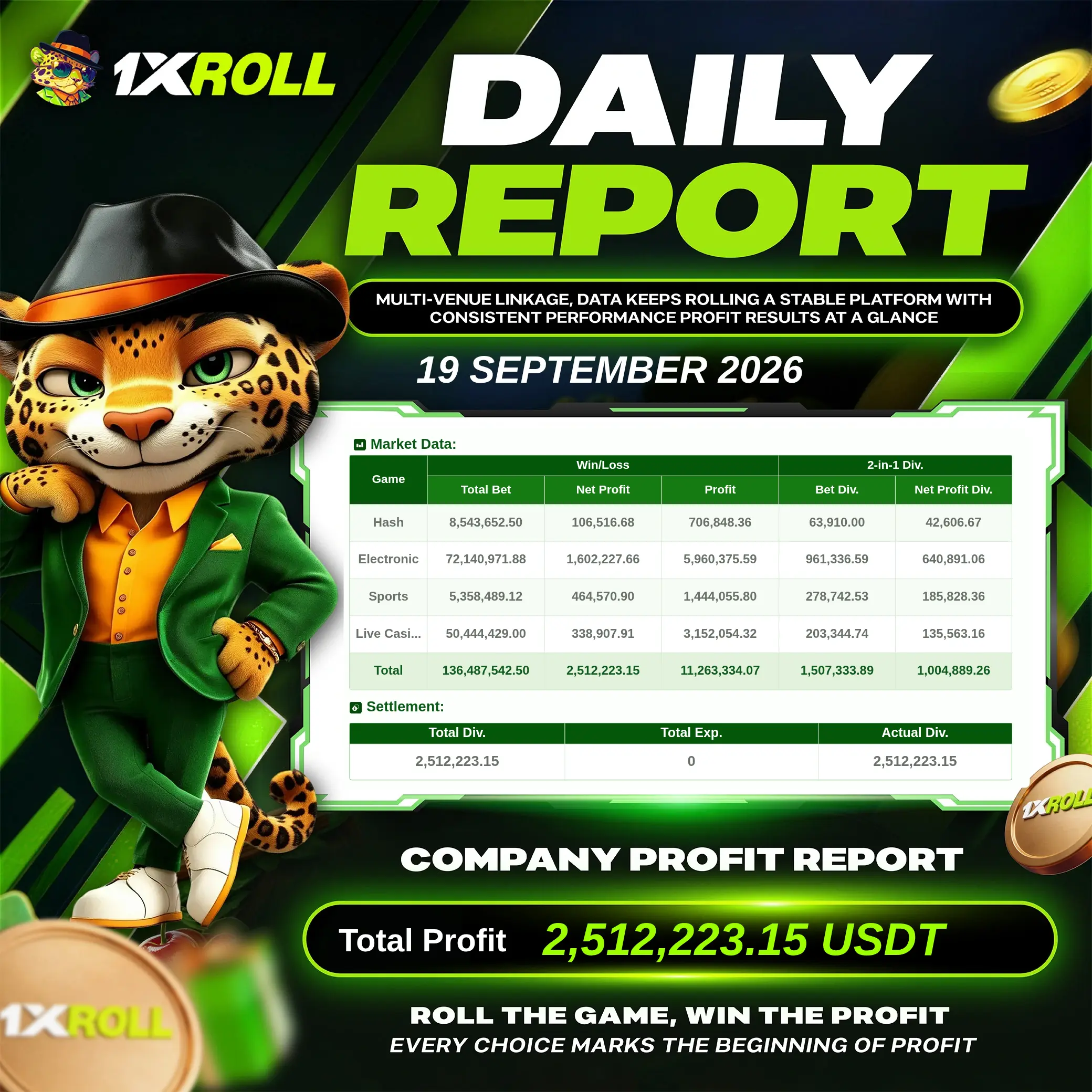

The Agent Web currently exports report images in English, Simplified Chinese, Traditional Chinese and Bahasa Melayu. Other site languages display the verified English report.
HOW REFERRAL CODES WORK
Referral codes, agent accounts and where the limits are
Readers arrive here either to understand what referral code 892627 does or to ask about agent participation. Both come down to attribution: which account gets credited for a registration, and which reports the platform generates about that account’s activity.
What a referral code actually does
A referral code is entered once, at registration, and tells the platform which referring account should be credited. It does not change your balance, your odds, your limits or your promotion eligibility, and it cannot be added or moved to another account afterwards. If you registered without a code, or with the wrong one, that attribution is fixed.
Where the code is entered, and how to confirm it was accepted, is covered step by step in the registration guide.
What an agent account is, and is not
An agent account is a participant account that refers members and can see platform-generated reports about the activity it referred. Those reports are produced by the platform, not by the agent, which is why the material above is dated and presented as an image rather than as a claim about earnings.
An agent account is not an account with special access to a member’s login, balance or withdrawal. Participation terms, eligibility and any dividend rules are set by the platform and can change, so confirm them there rather than on this page.
What no legitimate agent or support channel will ask for
- Your password, your one-time verification code or a screenshot of either.
- A transfer to a personal bank account rather than the platform’s own deposit route.
- Identity documents sent over an unverified messaging contact.
- A fee to release a withdrawal, unlock a bonus or “verify” an account.
Messages that ask for any of these are impersonating a channel, not operating one. Account changes belong inside the platform, and the platform’s own channels are the only ones that can make them.
How to check your own attribution
- Sign in and open the rewards, promotion or account area of the platform.
- Check whether the campaign you were promised appears for your account. Attribution shows up as eligibility, not as a separate field.
- If it does not appear, ask platform support with your registration details. An agent cannot change attribution after registration.
- Keep the dated record: what was displayed, to which account, and when.
Related reading. The evidence review records the interfaces and promotion terms we checked with dates, the editorial policy explains how affiliate links are labelled, and the responsible-gaming page covers limits, time-outs and where to get help.